<?xml version="1.0"?>
<News hasArchived="false" page="1" pageCount="1" pageSize="10" timestamp="Mon, 27 Apr 2026 01:43:34 -0400" url="https://beta.my.umbc.edu/groups/instructional-technology/posts.xml?tag=su2023">
<NewsItem contentIssues="true" id="133539" important="false" status="posted" url="https://beta.my.umbc.edu/groups/instructional-technology/posts/133539">
<Title>May 2023 Blackboard Tool Integration Upgrades</Title>
<Tagline>Updates to ALEKS, Library Reserves, Pearson, &amp; Qwickly tools</Tagline>
<Body>
<![CDATA[
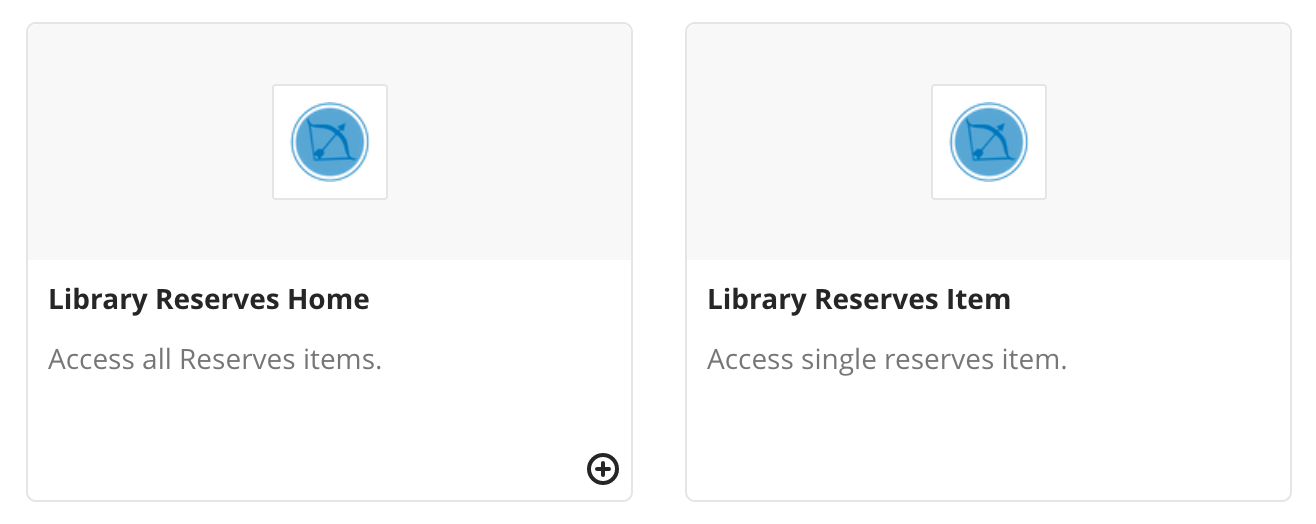
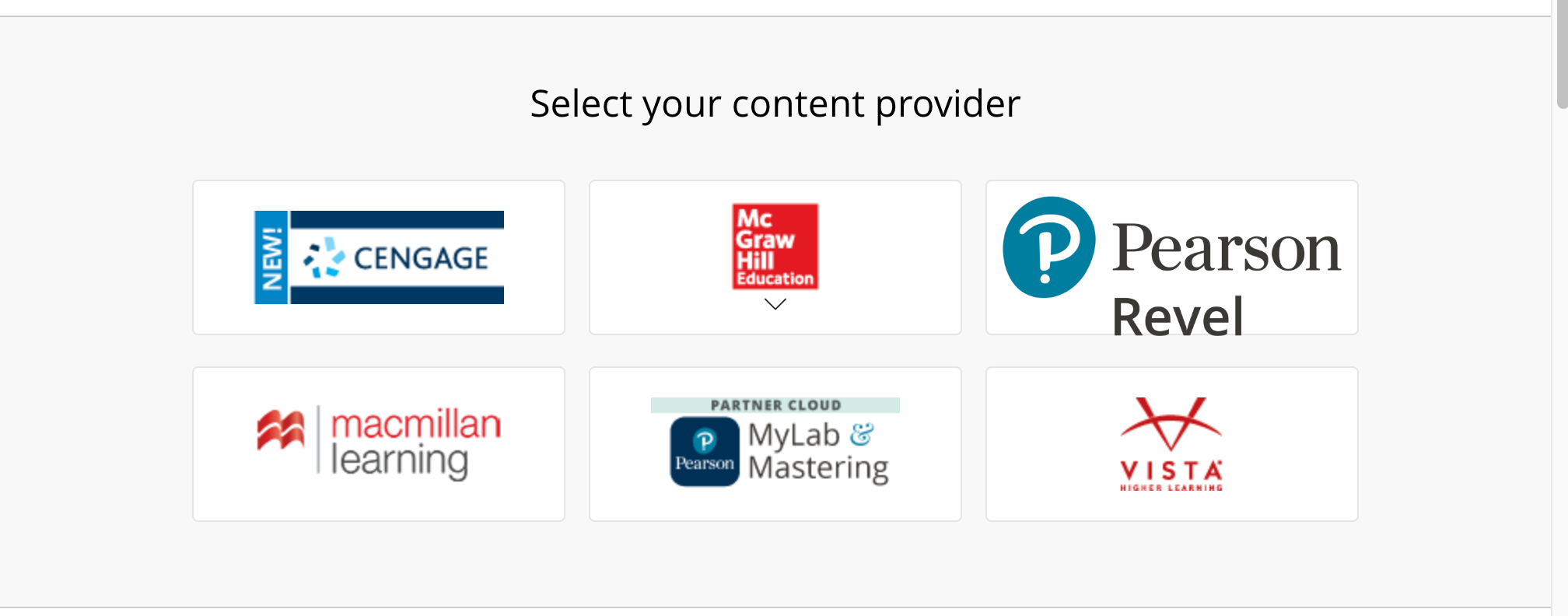
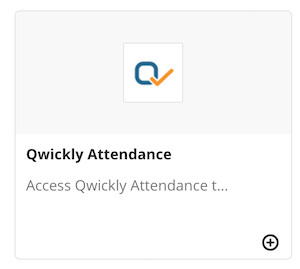
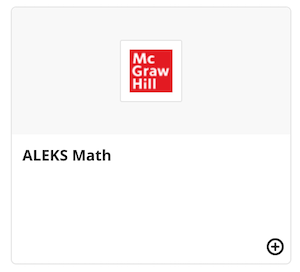
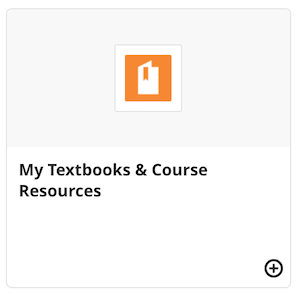
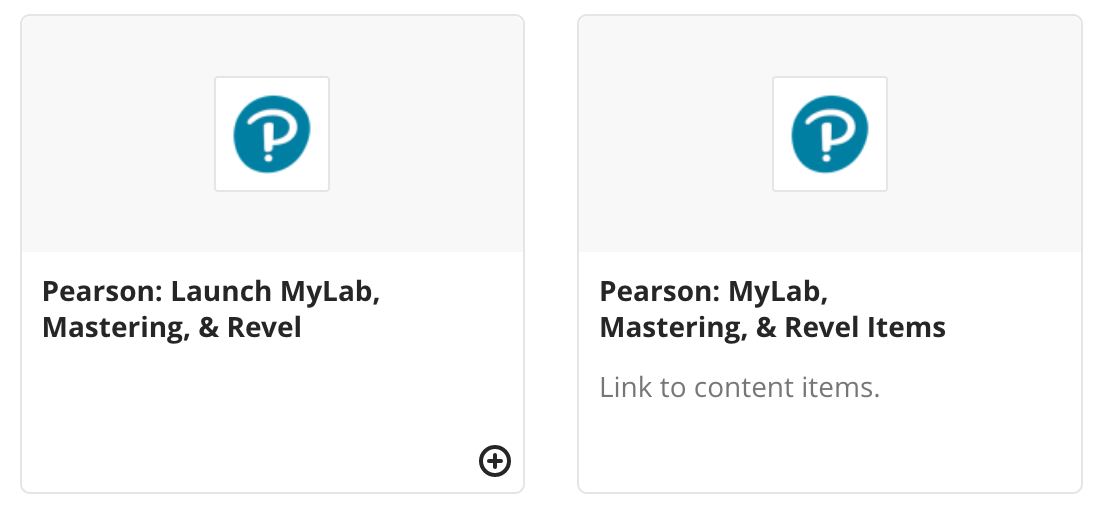
    <div class="html-content"><p><span>Four Blackboard course tools--ALEKS, Library Reserves, Pearson, and Qwickly--are undergoing updates, taking a significant leap forward by transitioning to the latest </span><a href="https://elearningindustry.com/learning-tools-interoperability-the-future-of-the-lms" rel="nofollow external" class="bo"><span>Learning Tools Interoperability (LTI) standards</span></a><span>: LTI 1.3 and LTI Advantage. Each tool will be updated in late May. Please see below for information about each tool, where to find it, and new features.</span></p><br><h5><span>ALEKS (McGraw-Hill)</span></h5><p><span>The updated </span><a href="https://www.aleks.com/" rel="nofollow external" class="bo"><span>ALEKS Math</span></a><span> tool will include enhancements to Blackboard gradebook synchronization and integrations with McGraw-Hill connect tools. Instructors will find ALEKS in the Blackboard Ultra Content Market and Original course content tools. </span></p><img src="https://my3.my.umbc.edu/groups/instructional-technology/posts/133539/attachments/47481" style="max-width: 100%; height: auto;"><br><p><span><em>Image 1. ALEKS Math Blackboard Content Market item.</em></span></p><br><h5><span>Library Reserves</span></h5><p><span>The Ares Library Reserves upgrade will allow instructors to link to their course reserves home, as before, </span><span>but will also let instructors link directly to specific reserves items</span><span>. This new feature supports module- and unit-based course organization by giving instructors more flexibility with content placement in Blackboard. Following the update, instructors will find the Library Reserves options in the Blackboard Ultra Content Market. Blackboard Original users will find the Library Reserves home link in course tools and the new deep link tool in Blackboard Original "build content" menu. Please see the </span><a href="https://wiki.umbc.edu/x/CYYMBQ" rel="nofollow external" class="bo"><span>Library Reserves FAQ</span></a><span> for detailed information.</span></p><img src="https://my3.my.umbc.edu/groups/instructional-technology/posts/133539/attachments/47472" style="max-width: 100%; height: auto;"><p><span><em>Image 2. Library Reserves Blackboard Content Market items.</em></span></p><br><h5><span>Pearson</span></h5><p><span>The new Pearson LTI 1.3 integration will enhance the Blackboard experience for </span><a href="https://mlm.pearson.com/northamerica/educators/features/index.html" rel="nofollow external" class="bo"><span>Pearson MyLab, Mastering and Revel courseware</span></a><span>. This update is scheduled to occur on </span><span>May 25th. </span><span>Note:</span><span> This upgrade </span><span>does <strong>not </strong>impact the "My Textbooks &amp; Course Resources" links in courses using CMI materials with VitalSource, shown below for reference. </span><span>If, in addition to VitalSource links, your course includes Pearson links, please see below for more details. </span></p><img src="https://my3.my.umbc.edu/groups/instructional-technology/posts/133539/attachments/47483" style="max-width: 100%; height: auto;"><br><p><span><em>Image 3. My Textbooks &amp; Course Resources VitalSource Content Market item</em></span></p><br><p><span>In prior terms, instructors may have linked Pearson Content from the Blackboard Partner Cloud. Please do not replace existing links in Blackboard courses from prior terms, as we cannot retroactively link them to the new tool.</span></p><img src="https://my3.my.umbc.edu/groups/instructional-technology/posts/133539/attachments/47475" style="max-width: 100%; height: auto;"><p><em><span>Image 4. </span><span>Blackboard Partner Cloud Content Provider Links.</span></em></p><br><p><span>For Summer 2023 and Fall 2023 courses, instead of selecting the Pearson tool from the Blackboard Partner Cloud, please find the updated Pearson tool in the Blackboard Ultra Content Market and Original course tools. </span></p><img src="https://my3.my.umbc.edu/groups/instructional-technology/posts/133539/attachments/47473" style="max-width: 100%; height: auto;"><p><span><em>Image 5. New Pearson Blackboard Content Market Links.</em></span></p><br><p><span>If you have any questions regarding your summer course and Blackboard, please submit an </span><a href="http://my.umbc.edu/go/request-help" rel="nofollow external" class="bo"><span>RT request</span></a><span>. For CMI-related questions, please reach out to Jocelyn Ochoa-Garcia (</span><a href="mailto:ochoa1@umbc.edu" rel="nofollow external" class="bo"><span>ochoa1@umbc.edu</span></a><span>) in the UMBC Bookstore.</span></p><br><h5><span>Qwickly Attendance</span></h5><p><span>Qwickly's upgrade offers improved integration with Blackboard to support the security requirements of LTI 1.3. This transition to LTI 1.3 should not affect current or existing courses, and existing settings should remain the same. Qwickly will remain available in the Blackboard Ultra Content Market and Original course tools.</span></p><img src="https://my3.my.umbc.edu/groups/instructional-technology/posts/133539/attachments/47482" style="max-width: 100%; height: auto;"><br><p><span><em>Image 6. Qwickly Attendance Blackboard Content Market item.</em></span></p><h4><span>Connect with Instructional Technology</span></h4><p><span>As always, if you have any questions about teaching, learning, and technology at UMBC, consider the following options:</span></p><ul><li><p><a href="http://pivot.umbc.edu/" rel="nofollow external" class="bo"><span>PIVOT</span></a><span> |</span><a href="https://doit.umbc.edu/itnm/academic-continuity/" rel="nofollow external" class="bo"><span>Academic Continuity</span></a><span> |</span><a href="https://doit.umbc.edu/students" rel="nofollow external" class="bo"><span>Student Technology Resources</span></a></p></li><li><p><a href="https://wiki.umbc.edu/x/LohnB" rel="nofollow external" class="bo"><span>What's new in Ultra?</span></a><span> |</span><a href="https://wiki.umbc.edu/x/bwrSAQ" rel="nofollow external" class="bo"><span>Known Issues</span></a><span> </span></p></li><li><p><a href="http://my.umbc.edu/go/request-help" rel="nofollow external" class="bo"><span>Open a ticket via RT</span></a></p></li><li><p><span>Follow the </span><a href="http://my.umbc.edu/groups/instructional-technology" rel="nofollow external" class="bo"><span>Instructional Technology</span></a> &amp; <a href="http://my.umbc.edu/groups/doit" rel="nofollow external" class="bo"><span>DoIT</span></a><span> myUMBC groups</span></p></li><li><p><a href="http://doit.umbc.edu/itnm/staff/" rel="nofollow external" class="bo"><span>Request a consult</span></a> with <a href="http://doit.umbc.edu/itnm/staff" rel="nofollow external" class="bo"><span>instructional technology staff</span></a></p></li></ul><p><span>UMBC is committed to providing a consistent learning experience for everyone. The </span><a href="https://doit.umbc.edu/news/post/130227/" rel="nofollow external" class="bo"><span>last day we will support Blackboard Original</span></a><span> is December 31, 2024. Please check out our training and support:</span><a href="http://umbc.edu/go/ultra" rel="nofollow external" class="bo"><span>umbc.edu/go/ultra</span></a></p><p><em>Post thumbnail: Blackboard Icon (decorative)</em><br></p></div>
]]>
</Body>
<Summary>Four Blackboard course tools--ALEKS, Library Reserves, Pearson, and Qwickly--are undergoing updates, taking a significant leap forward by transitioning to the latest Learning Tools...</Summary>
<Website>https://my3.my.umbc.edu/groups/instructional-technology/posts/133539/</Website>
<AttachmentKind>Image</AttachmentKind>
<AttachmentUrl>https://assets2-beta.my.umbc.edu/system/shared/attachments/03fd18330a4386b3fad726373646dfb4/69eef787/news/000/133/539/2d01216e288ff2a1a0fd90c4a4b6bd0c/Library Reserves.png?1684251464</AttachmentUrl>
<Attachments>
<Attachment kind="Image" url="https://beta.my.umbc.edu/groups/instructional-technology/posts/133539/attachments/47472"></Attachment>
<Attachment kind="Image" url="https://beta.my.umbc.edu/groups/instructional-technology/posts/133539/attachments/47473"></Attachment>
<Attachment kind="Image" url="https://beta.my.umbc.edu/groups/instructional-technology/posts/133539/attachments/47475"></Attachment>
<Attachment kind="Image" url="https://beta.my.umbc.edu/groups/instructional-technology/posts/133539/attachments/47481"></Attachment>
<Attachment kind="Image" url="https://beta.my.umbc.edu/groups/instructional-technology/posts/133539/attachments/47482"></Attachment>
<Attachment kind="Image" url="https://beta.my.umbc.edu/groups/instructional-technology/posts/133539/attachments/47483"></Attachment>
</Attachments>
<TrackingUrl>https://beta.my.umbc.edu/api/v0/pixel/news/133539/guest@my.umbc.edu/8f993045fe859344bae53f1820014253/api/pixel</TrackingUrl>
<Tag>aleks</Tag>
<Tag>blackboard</Tag>
<Tag>cmi</Tag>
<Tag>library</Tag>
<Tag>library-reserves</Tag>
<Tag>lti</Tag>
<Tag>lti1-3</Tag>
<Tag>math</Tag>
<Tag>pearson</Tag>
<Tag>qwickly</Tag>
<Tag>reserves</Tag>
<Tag>su2023</Tag>
<Tag>vitalsource</Tag>
<Group token="instructional-technology">Instructional Technology</Group>
<GroupUrl>https://beta.my.umbc.edu/groups/instructional-technology</GroupUrl>
<AvatarUrl>https://assets2-beta.my.umbc.edu/system/shared/avatars/groups/000/001/164/dec3b026b81ee6d890a8f82f75c94a2e/xsmall.png?1446126703</AvatarUrl>
<AvatarUrl size="original">https://assets1-beta.my.umbc.edu/system/shared/avatars/groups/000/001/164/dec3b026b81ee6d890a8f82f75c94a2e/original.png?1446126703</AvatarUrl>
<AvatarUrl size="xxlarge">https://assets2-beta.my.umbc.edu/system/shared/avatars/groups/000/001/164/dec3b026b81ee6d890a8f82f75c94a2e/xxlarge.png?1446126703</AvatarUrl>
<AvatarUrl size="xlarge">https://assets1-beta.my.umbc.edu/system/shared/avatars/groups/000/001/164/dec3b026b81ee6d890a8f82f75c94a2e/xlarge.png?1446126703</AvatarUrl>
<AvatarUrl size="large">https://assets1-beta.my.umbc.edu/system/shared/avatars/groups/000/001/164/dec3b026b81ee6d890a8f82f75c94a2e/large.png?1446126703</AvatarUrl>
<AvatarUrl size="medium">https://assets4-beta.my.umbc.edu/system/shared/avatars/groups/000/001/164/dec3b026b81ee6d890a8f82f75c94a2e/medium.png?1446126703</AvatarUrl>
<AvatarUrl size="small">https://assets3-beta.my.umbc.edu/system/shared/avatars/groups/000/001/164/dec3b026b81ee6d890a8f82f75c94a2e/small.png?1446126703</AvatarUrl>
<AvatarUrl size="xsmall">https://assets2-beta.my.umbc.edu/system/shared/avatars/groups/000/001/164/dec3b026b81ee6d890a8f82f75c94a2e/xsmall.png?1446126703</AvatarUrl>
<AvatarUrl size="xxsmall">https://assets3-beta.my.umbc.edu/system/shared/avatars/groups/000/001/164/dec3b026b81ee6d890a8f82f75c94a2e/xxsmall.png?1446126703</AvatarUrl>
<Sponsor>Instructional Technology</Sponsor>
<ThumbnailUrl size="xxlarge">https://assets3-beta.my.umbc.edu/system/shared/thumbnails/news/000/133/539/926e768f7331a7140792a223f0c1bdd5/xxlarge.jpg?1684252654</ThumbnailUrl>
<ThumbnailUrl size="xlarge">https://assets2-beta.my.umbc.edu/system/shared/thumbnails/news/000/133/539/926e768f7331a7140792a223f0c1bdd5/xlarge.jpg?1684252654</ThumbnailUrl>
<ThumbnailUrl size="large">https://assets4-beta.my.umbc.edu/system/shared/thumbnails/news/000/133/539/926e768f7331a7140792a223f0c1bdd5/large.jpg?1684252654</ThumbnailUrl>
<ThumbnailUrl size="medium">https://assets4-beta.my.umbc.edu/system/shared/thumbnails/news/000/133/539/926e768f7331a7140792a223f0c1bdd5/medium.jpg?1684252654</ThumbnailUrl>
<ThumbnailUrl size="small">https://assets2-beta.my.umbc.edu/system/shared/thumbnails/news/000/133/539/926e768f7331a7140792a223f0c1bdd5/small.jpg?1684252654</ThumbnailUrl>
<ThumbnailUrl size="xsmall">https://assets4-beta.my.umbc.edu/system/shared/thumbnails/news/000/133/539/926e768f7331a7140792a223f0c1bdd5/xsmall.jpg?1684252654</ThumbnailUrl>
<ThumbnailUrl size="xxsmall">https://assets2-beta.my.umbc.edu/system/shared/thumbnails/news/000/133/539/926e768f7331a7140792a223f0c1bdd5/xxsmall.jpg?1684252654</ThumbnailUrl>
<PawCount>5</PawCount>
<CommentCount>0</CommentCount>
<CommentsAllowed>true</CommentsAllowed>
<PostedAt>Tue, 16 May 2023 12:57:59 -0400</PostedAt>
</NewsItem>

<NewsItem contentIssues="true" id="133029" important="false" status="posted" url="https://beta.my.umbc.edu/groups/instructional-technology/posts/133029">
<Title>SU2023 Courses Created in Blackboard on April 27, 2023</Title>
<Body>
<![CDATA[
    <div class="html-content"><p>Blackboard course shells for SU2023 <a href="https://wiki.umbc.edu/x/eYHGAw" rel="nofollow external" class="bo">were created</a> on April 27, 2023.</p><p><span><span>UMBC is committed to providing a consistent learning experience for everyone.</span><span> </span>The </span><a href="https://wiki.umbc.edu/x/VIdnB" rel="nofollow external" class="bo"><span>Ultra Course Preview</span></a><span> setting is again enabled in SU2023 courses, which allows faculty</span><span> to convert a new Original course to see what it </span><span><a href="https://wiki.umbc.edu/x/VIdnB" rel="nofollow external" class="bo">looks like in Ultra</a></span><span> and <a href="https://wiki.umbc.edu/x/_AQ9BQ" rel="nofollow external" class="bo">adopt Ultra</a>. </span><span>The </span><a href="https://doit.umbc.edu/news/post/130227/" rel="nofollow external" class="bo">last day we will support Blackboard Original</a><span> </span><span>is December 31, 2024. </span></p><ul><li><span>Please review the </span><a href="https://wiki.umbc.edu/x/LohnB" rel="nofollow external" class="bo">release notes</a><span> for the latest Ultra updates as well as</span><span> <a href="https://docs.google.com/spreadsheets/d/1kkG0toIfhmykbbwCeSDd8NopHp19CH7D5rPd95mxji8/edit?usp=sharing" rel="nofollow external" class="bo">feature parity charts</a> --</span><span> <a href="https://doit.umbc.edu/news/?tag=ultra-experience" rel="nofollow external" class="bo">more than 150 new updates and enhancements</a> were added over the year including multiple grading schema, assessment exemptions, drag &amp; drop improvements, course content search, hot spot and extra credit questions, student progress tracking, points-based gradebook and rubrics, question banks, and more!</span><span> </span></li><li><span>Learn more about <a href="https://my3.my.umbc.edu/groups/instructional-technology/events/112110" rel="nofollow external" class="bo">What's New in Ultra for </a></span><span><a href="https://my3.my.umbc.edu/groups/instructional-technology/events/112110" rel="nofollow external" class="bo">Teaching &amp; Learning</a> on May 17, 2023.</span></li><li><span>Enroll in <a href="https://doit.umbc.edu/news/post/131063/" rel="nofollow external" class="bo">our self-paced workshop, Ultra for Instructors</a>, designed to provide a starting point to help you prepare your courses in Ultra.</span></li><li><span>Have a question about Ultra? Ask </span><a href="https://wiki.umbc.edu/x/kAU9BQ" rel="nofollow external" class="bo">an Ultra Ambassador</a><span>!</span></li><li><span>For all other resources about Ultra, p</span><span>lease visit:</span><span> </span><a href="http://umbc.edu/go/ultra" rel="nofollow external" class="bo">umbc.edu/go/ultra</a><span> </span></li></ul><p><span>Ally, an </span><a href="https://doit.umbc.edu/news/?id=82487" rel="nofollow external" class="bo"><span>accessibility tool</span></a><span>, is always enabled in all course shells. Ally automatically scans uploaded and created course content, then performs a series of steps to make that content more accessible. Please review the </span><a href="https://wiki.umbc.edu/x/2IGdB" rel="nofollow external" class="bo"><span>Ally FAQs</span></a><span> for more information about the </span><a href="https://wiki.umbc.edu/x/_YGdB" rel="nofollow external" class="bo"><span>accessibility indicators</span></a><span> on course content and </span><a href="https://wiki.umbc.edu/x/3IGdB" rel="nofollow external" class="bo"><span>alternative formats</span></a><span>.</span></p><p><span>For faculty who will be teaching hybrid or online, the instructional technology team would like to share several resources to support online course development and instruction.</span></p><ol><li><span>Choose from our </span><a href="https://pivot.umbc.edu/pivot-solo/" rel="nofollow external" class="bo">PIVOT Solo</a><span> lessons to refresh or enhance your online teaching preparation. Five key topics cover course organization, active learning, community building, assessment, and supporting students. </span></li><li><span>Explore </span><a href="https://umbc.hosted.panopto.com/Panopto/Pages/Sessions/List.aspx#folderID=%2274ac9d58-1779-44c1-92b7-ab6900dfe6e9%22" rel="nofollow external" class="bo">our Panopto folder</a><span> for a wide variety of recorded webinars on various instructional technologies available at UMBC.</span></li></ol><div><strong>About Course Creation</strong></div><div><span><br></span></div><div><span>Bb shells for </span><span>SU2023</span><span> are available for all courses (designated as lecture, lab, field or discussion) listed in the </span><a href="http://my.umbc.edu/go/schedule" rel="nofollow external" class="bo">UMBC Schedule of Classes (SOC)</a><span>, provided that there is an </span><a href="http://www.umbc.edu/blogs/oit-news/archives/2010/08/how_new_employe_1.html" rel="nofollow external" class="bo">instructor of record</a><span> listed. As new course sections and/or instructors are added to the SOC by </span><a href="https://registrar.umbc.edu/services/classroom-scheduling/" rel="nofollow external" class="bo">Department Scheduling Coordinators</a><span>, corresponding Bb shells are automatically generated overnight. </span></div><ul><li>If you are an instructor, and your name is not associated with the course you are teaching in the <a href="http://my.umbc.edu/go/schedule" rel="nofollow external" class="bo">SOC</a>, please see your <a href="https://swsupport.umbc.edu/scheduling-coordinators/" rel="nofollow external" class="bo">Departmental Scheduling Coordinator</a> to resolve the issue. Once you are listed in the <a href="https://my.umbc.edu/go/schedule" rel="nofollow external" class="bo">SOC</a>, your Bb course shell will be created automatically. </li><li>If you and your <a href="https://swsupport.umbc.edu/scheduling-coordinators/" rel="nofollow external" class="bo">Department Scheduling Coordinator</a> believe you are correctly assigned as the instructor of record in the SOC and you do not see your course shell in Blackboard, please submit a Request Tracker (RT) ticket via <a href="https://my.umbc.edu/help" rel="nofollow external" class="bo">my.umbc.edu/help</a>.</li><li>If you need a Bb shell for a research or independent study course, please submit a <a href="http://www.umbc.edu/doit/blackboard/requestbbshell.html" rel="nofollow external" class="bo">new course request</a>.</li></ul><p>Instructors who teach multiple sections of the same course will find those enrollments merged into one Bb course shell. These sections may be split upon <a href="https://my.umbc.edu/go/request-help" rel="nofollow external" class="bo">request by an RT ticket</a>, which we recommend <a href="https://wiki.umbc.edu/x/d4HGAw" rel="nofollow external" class="bo">submitting at least one week</a> before the semester starts, if not as soon as courses are created in Blackboard. <strong>NOTE:</strong> Courses should not be split after student grade data and engagement activity is recorded since it will be purged as part of the separation process.</p><p>Student enrollment in Bb mirrors the official registration in SA and updates hourly. However, courses are not accessible to students by default until the instructor of record <a href="https://wiki.umbc.edu/pages/viewpage.action?pageId%3D1867862" rel="nofollow external" class="bo">makes them available</a>.</p><p><strong>Connect with Instructional Technology</strong></p><p><span>As always, if you have any questions about teaching, learning, and technology at UMBC, consider the following options:</span></p><ul><li><p><a href="http://pivot.umbc.edu/" rel="nofollow external" class="bo">PIVOT</a> | <a href="https://doit.umbc.edu/itnm/academic-continuity/" rel="nofollow external" class="bo">Academic Continuity</a> | <a href="https://doit.umbc.edu/students" rel="nofollow external" class="bo">Student Technology Resources</a></p></li><li><p><a href="https://wiki.umbc.edu/x/LohnB" rel="nofollow external" class="bo">What's new in Ultra?</a> | <a href="https://wiki.umbc.edu/x/bwrSAQ" rel="nofollow external" class="bo">Known Issues</a><span> </span></p></li><li><p><a href="http://my.umbc.edu/go/request-help" rel="nofollow external" class="bo">Open a ticket via RT</a></p></li><li><p><span>Follow the </span><a href="http://my.umbc.edu/groups/instructional-technology" rel="nofollow external" class="bo">Instructional Technology</a> &amp; <a href="http://my.umbc.edu/groups/doit" rel="nofollow external" class="bo">DoIT</a><span> myUMBC groups</span></p></li><li><p><a href="http://doit.umbc.edu/itnm/staff/" rel="nofollow external" class="bo">Request a consult</a> with <a href="http://doit.umbc.edu/itnm/staff" rel="nofollow external" class="bo">instructional technology staff</a></p></li></ul></div>
]]>
</Body>
<Summary>Blackboard course shells for SU2023 were created on April 27, 2023.  UMBC is committed to providing a consistent learning experience for everyone. The Ultra Course Preview setting is again enabled...</Summary>
<Website>https://my3.my.umbc.edu/groups/instructional-technology/posts/133029</Website>
<TrackingUrl>https://beta.my.umbc.edu/api/v0/pixel/news/133029/guest@my.umbc.edu/ca5933090dc9fb61e79652f4858a9192/api/pixel</TrackingUrl>
<Tag>blackboard</Tag>
<Tag>course-creation</Tag>
<Tag>su2023</Tag>
<Tag>summer</Tag>
<Tag>ultra-course-preview</Tag>
<Group token="instructional-technology">Instructional Technology</Group>
<GroupUrl>https://beta.my.umbc.edu/groups/instructional-technology</GroupUrl>
<AvatarUrl>https://assets2-beta.my.umbc.edu/system/shared/avatars/groups/000/001/164/dec3b026b81ee6d890a8f82f75c94a2e/xsmall.png?1446126703</AvatarUrl>
<AvatarUrl size="original">https://assets1-beta.my.umbc.edu/system/shared/avatars/groups/000/001/164/dec3b026b81ee6d890a8f82f75c94a2e/original.png?1446126703</AvatarUrl>
<AvatarUrl size="xxlarge">https://assets2-beta.my.umbc.edu/system/shared/avatars/groups/000/001/164/dec3b026b81ee6d890a8f82f75c94a2e/xxlarge.png?1446126703</AvatarUrl>
<AvatarUrl size="xlarge">https://assets1-beta.my.umbc.edu/system/shared/avatars/groups/000/001/164/dec3b026b81ee6d890a8f82f75c94a2e/xlarge.png?1446126703</AvatarUrl>
<AvatarUrl size="large">https://assets1-beta.my.umbc.edu/system/shared/avatars/groups/000/001/164/dec3b026b81ee6d890a8f82f75c94a2e/large.png?1446126703</AvatarUrl>
<AvatarUrl size="medium">https://assets4-beta.my.umbc.edu/system/shared/avatars/groups/000/001/164/dec3b026b81ee6d890a8f82f75c94a2e/medium.png?1446126703</AvatarUrl>
<AvatarUrl size="small">https://assets3-beta.my.umbc.edu/system/shared/avatars/groups/000/001/164/dec3b026b81ee6d890a8f82f75c94a2e/small.png?1446126703</AvatarUrl>
<AvatarUrl size="xsmall">https://assets2-beta.my.umbc.edu/system/shared/avatars/groups/000/001/164/dec3b026b81ee6d890a8f82f75c94a2e/xsmall.png?1446126703</AvatarUrl>
<AvatarUrl size="xxsmall">https://assets3-beta.my.umbc.edu/system/shared/avatars/groups/000/001/164/dec3b026b81ee6d890a8f82f75c94a2e/xxsmall.png?1446126703</AvatarUrl>
<Sponsor>Instructional Technology</Sponsor>
<ThumbnailUrl size="xxlarge">https://assets4-beta.my.umbc.edu/system/shared/thumbnails/news/000/133/029/0b14eccefe7719259c7246564f5da9b8/xxlarge.jpg?1682607090</ThumbnailUrl>
<ThumbnailUrl size="xlarge">https://assets3-beta.my.umbc.edu/system/shared/thumbnails/news/000/133/029/0b14eccefe7719259c7246564f5da9b8/xlarge.jpg?1682607090</ThumbnailUrl>
<ThumbnailUrl size="large">https://assets1-beta.my.umbc.edu/system/shared/thumbnails/news/000/133/029/0b14eccefe7719259c7246564f5da9b8/large.jpg?1682607090</ThumbnailUrl>
<ThumbnailUrl size="medium">https://assets4-beta.my.umbc.edu/system/shared/thumbnails/news/000/133/029/0b14eccefe7719259c7246564f5da9b8/medium.jpg?1682607090</ThumbnailUrl>
<ThumbnailUrl size="small">https://assets1-beta.my.umbc.edu/system/shared/thumbnails/news/000/133/029/0b14eccefe7719259c7246564f5da9b8/small.jpg?1682607090</ThumbnailUrl>
<ThumbnailUrl size="xsmall">https://assets2-beta.my.umbc.edu/system/shared/thumbnails/news/000/133/029/0b14eccefe7719259c7246564f5da9b8/xsmall.jpg?1682607090</ThumbnailUrl>
<ThumbnailUrl size="xxsmall">https://assets1-beta.my.umbc.edu/system/shared/thumbnails/news/000/133/029/0b14eccefe7719259c7246564f5da9b8/xxsmall.jpg?1682607090</ThumbnailUrl>
<PawCount>3</PawCount>
<CommentCount>0</CommentCount>
<CommentsAllowed>true</CommentsAllowed>
<PostedAt>Thu, 27 Apr 2023 11:18:41 -0400</PostedAt>
</NewsItem>

<NewsItem contentIssues="true" id="130620" important="false" status="posted" url="https://beta.my.umbc.edu/groups/instructional-technology/posts/130620">
<Title>Free Webinar Series: Teaching with Blackboard Ultra</Title>
<Tagline>Monthly training for faculty, TAs, and staff in SP/SU2023</Tagline>
<Body>
<![CDATA[
    <div class="html-content">The <a href="https://learn.anthology.com/instructor-webinars-live" rel="nofollow external" class="bo">Bb Instructor Webinar Series</a> offers free 45-minute webinars designed for instructors who are getting started with teaching using Blackboard Ultra. Topics include getting started, creating assessments, improving engagement, using groups, converting to Ultra, best practices, and using data in Ultra. <span>Get step-by-step instructor and ask questions in these monthly sessions from Blackboard experts. </span><div><span><br></span></div><div><span>Multiple dates are offered throughout spring and into mid-summer. <a href="https://learn.anthology.com/instructor-webinars-live" rel="nofollow external" class="bo">Register for one or more sessions</a>.</span><div><div><br></div><div><div><strong>Blackboard Learn Basics Ultra</strong></div><div>This webinar is designed to provide you easy step-by-step instructions on how to upload course content, create discussion boards for students to engage, and provide an overview on the types of online assessments available in Blackboard Learn Ultra Course View.</div></div><div><ul><li>February 8 @ 11 AM</li><li>March 22 @ 11 AM</li><li>May 10 @ 11 AM</li><li>June 20 @ 11 AM</li></ul><div><div><strong>Grading and Managing the Gradebook in an Ultra Course</strong></div><div>This intermediate session will provide a deeper dive into setting up grading criteria for assessments, utilizing different types of assessments, and creating gradable assignments in Blackboard Learn Ultra Courses.</div><div><ul><li>February 14 @ 11 AM</li><li>March 28 @ 11 AM</li><li>May 16 @ 11 AM</li><li>June 21 @ 11 AM</li></ul><div><div><strong>Creating Assessments in an Ultra Course</strong></div><div>In this session, we will focus on creating different assessments and assignments in Blackboard Learn Ultra courses. We will outline the steps to create an assessment or an assignment, including selecting different options in grade settings.</div><div><ul><li>February 16 @ 11 AM</li><li>March 30 @ 11 AM</li><li>May 18 @ 11 AM</li><li>June 22 @ 11 AM</li></ul><div><div><strong>Improving Student Engagement Ultra</strong></div><div>Discover how utilizing tools within Learn Ultra can encourage meaningful engagement among students. between your students and you, and with the content itself! In this session, we'll examine how to effectively use discussion boards, class conversations, interactive lectures, and other Learn Ultra tools to foster student engagement in your course. We will also explore different ways to promote communication and collaboration among your students to get them involved and to keep them engaged in online classes.</div><div><ul><li>February 22 @ 11 AM</li><li>April 12 @ 11 AM</li><li>May 24 @ 11 AM</li><li>June 27 @ 11 AM</li></ul><div><div><strong>Using Groups in Blackboard Learn Ultra</strong></div><div>Collaborative learning offers many benefits over traditional instruction. Studies show that when students work as a team, they develop positive attitudes, solve problems more effectively, and experience a greater sense of accomplishment. This intermediate session will show you how to use the Groups tool in Blackboard Learn Ultra to facilitate student collaboration and enhance student engagement in your course.</div><div><ul><li>February 28 @ 11 AM</li><li>April 18 @ 11 AM</li><li>May 30 @ 11 AM</li><li>June 28 @ 11 AM</li></ul><div><div><strong>Ultra Advantage -- Converting Original to Ultra</strong></div><div>It's time for a little Spring clean-up! Let's look at suggestions on how to effectively clean-up, reorganize, and sort through the content in your Learn Original course before bringing all the content over to the Learn Ultra course. This webinar is designed to provide tips and tricks on streamlining the conversion over to the Learn Ultra courses.</div><div><ul><li>March 2 @ 11 AM</li><li>April 20 @ 11 AM</li><li>June 1 @ 11 AM</li><li>June 29 @ 11 AM</li></ul><div><strong>Blackboard Learn Ultra Best Practices</strong></div></div></div></div></div></div></div></div></div></div></div></div><div>Now that we know the buttons to click to create and setup many of the online learning tools, let's take a step back and determine what are the features of each of the tools and what are some of the best practices to use them in facilitating our online courses. These sessions will take on more of a pedagogical nature to assist in readying your course and yourself to enhancing the teaching and learning of your students. The sessions will coalesce around the lifecycle of each tool including instructor creation and considerations, student completion, instructor grading, and finally the student accessing their grade. Think broadly in terms of groups, assignments, assessments, journals, and discussion boards -- how can I make these more effective for me and for my students.</div><div><ul><li>March 8 @ 11 AM</li><li>April 26 @ 11 AM</li><li>June 7 @ 11 AM</li><li>July 5 @ 11 AM</li></ul></div><div><span><strong>Using Data in Ultra</strong></span></div><div>This webinar will focus on data and analytics available throughout the Ultra Course. We will guide instructors through the assignment analytics, student progress analytics, and course data accessible throughout Ultra.</div><div><div><ul><li>March 16 @ 11 AM</li><li>May 4 @ 11 AM</li><li>June 15 @ 11 AM</li></ul></div></div><div><span>All webinars will be recorded and emailed to you after the session. Even if you can't attend live, </span><span><a href="https://learn.anthology.com/instructor-webinars-live" rel="nofollow external" class="bo">please register </a>for a Live Webinar</span><span> so you can receive the recording.</span></div></div></div><div><span><br></span></div><div><span>For more information about Ultra at UMBC, please visit <a href="http://umbc.edu/go/ultra" rel="nofollow external" class="bo">umbc.edu/go/ultra</a>.</span></div></div>
]]>
</Body>
<Summary>The Bb Instructor Webinar Series offers free 45-minute webinars designed for instructors who are getting started with teaching using Blackboard Ultra. Topics include getting started, creating...</Summary>
<Website>https://my3.my.umbc.edu/groups/instructional-technology/posts/130620</Website>
<TrackingUrl>https://beta.my.umbc.edu/api/v0/pixel/news/130620/guest@my.umbc.edu/b145e64626f0397196e2a077a38d6485/api/pixel</TrackingUrl>
<Tag>blackboard</Tag>
<Tag>sp2023</Tag>
<Tag>su2023</Tag>
<Tag>training</Tag>
<Tag>ultra</Tag>
<Tag>webinar</Tag>
<Group token="instructional-technology">Instructional Technology</Group>
<GroupUrl>https://beta.my.umbc.edu/groups/instructional-technology</GroupUrl>
<AvatarUrl>https://assets2-beta.my.umbc.edu/system/shared/avatars/groups/000/001/164/dec3b026b81ee6d890a8f82f75c94a2e/xsmall.png?1446126703</AvatarUrl>
<AvatarUrl size="original">https://assets1-beta.my.umbc.edu/system/shared/avatars/groups/000/001/164/dec3b026b81ee6d890a8f82f75c94a2e/original.png?1446126703</AvatarUrl>
<AvatarUrl size="xxlarge">https://assets2-beta.my.umbc.edu/system/shared/avatars/groups/000/001/164/dec3b026b81ee6d890a8f82f75c94a2e/xxlarge.png?1446126703</AvatarUrl>
<AvatarUrl size="xlarge">https://assets1-beta.my.umbc.edu/system/shared/avatars/groups/000/001/164/dec3b026b81ee6d890a8f82f75c94a2e/xlarge.png?1446126703</AvatarUrl>
<AvatarUrl size="large">https://assets1-beta.my.umbc.edu/system/shared/avatars/groups/000/001/164/dec3b026b81ee6d890a8f82f75c94a2e/large.png?1446126703</AvatarUrl>
<AvatarUrl size="medium">https://assets4-beta.my.umbc.edu/system/shared/avatars/groups/000/001/164/dec3b026b81ee6d890a8f82f75c94a2e/medium.png?1446126703</AvatarUrl>
<AvatarUrl size="small">https://assets3-beta.my.umbc.edu/system/shared/avatars/groups/000/001/164/dec3b026b81ee6d890a8f82f75c94a2e/small.png?1446126703</AvatarUrl>
<AvatarUrl size="xsmall">https://assets2-beta.my.umbc.edu/system/shared/avatars/groups/000/001/164/dec3b026b81ee6d890a8f82f75c94a2e/xsmall.png?1446126703</AvatarUrl>
<AvatarUrl size="xxsmall">https://assets3-beta.my.umbc.edu/system/shared/avatars/groups/000/001/164/dec3b026b81ee6d890a8f82f75c94a2e/xxsmall.png?1446126703</AvatarUrl>
<Sponsor>Instructional Technology</Sponsor>
<ThumbnailUrl size="xxlarge">https://assets4-beta.my.umbc.edu/system/shared/thumbnails/news/000/130/620/8f32799a3ad36124c52d8420887c117d/xxlarge.jpg?1675438466</ThumbnailUrl>
<ThumbnailUrl size="xlarge">https://assets3-beta.my.umbc.edu/system/shared/thumbnails/news/000/130/620/8f32799a3ad36124c52d8420887c117d/xlarge.jpg?1675438466</ThumbnailUrl>
<ThumbnailUrl size="large">https://assets1-beta.my.umbc.edu/system/shared/thumbnails/news/000/130/620/8f32799a3ad36124c52d8420887c117d/large.jpg?1675438466</ThumbnailUrl>
<ThumbnailUrl size="medium">https://assets3-beta.my.umbc.edu/system/shared/thumbnails/news/000/130/620/8f32799a3ad36124c52d8420887c117d/medium.jpg?1675438466</ThumbnailUrl>
<ThumbnailUrl size="small">https://assets2-beta.my.umbc.edu/system/shared/thumbnails/news/000/130/620/8f32799a3ad36124c52d8420887c117d/small.jpg?1675438466</ThumbnailUrl>
<ThumbnailUrl size="xsmall">https://assets3-beta.my.umbc.edu/system/shared/thumbnails/news/000/130/620/8f32799a3ad36124c52d8420887c117d/xsmall.jpg?1675438466</ThumbnailUrl>
<ThumbnailUrl size="xxsmall">https://assets2-beta.my.umbc.edu/system/shared/thumbnails/news/000/130/620/8f32799a3ad36124c52d8420887c117d/xxsmall.jpg?1675438466</ThumbnailUrl>
<PawCount>2</PawCount>
<CommentCount>0</CommentCount>
<CommentsAllowed>true</CommentsAllowed>
<PostedAt>Fri, 03 Feb 2023 10:47:21 -0500</PostedAt>
<EditAt>Fri, 03 Feb 2023 10:51:18 -0500</EditAt>
</NewsItem>

</News>