<?xml version="1.0"?>
<News hasArchived="false" page="1" pageCount="1" pageSize="10" timestamp="Wed, 22 Apr 2026 21:23:35 -0400" url="https://beta.my.umbc.edu/groups/doit/posts.xml?tag=fa2024">
<NewsItem contentIssues="false" id="143270" important="false" status="posted" url="https://beta.my.umbc.edu/groups/doit/posts/143270">
<Title>FA2024 Instructional Technology Update</Title>
<Body>
<![CDATA[
    <div class="html-content"><p><span>The UMBC Instructional Technology Update is provided by the </span><a href="http://umbc.edu/doit" rel="nofollow external" class="bo"><span>Division of Information Technology</span></a><span> for students, faculty and staff. If you have questions or need help, please consult the </span><a href="https://wiki.umbc.edu/display/faq/Blackboard" rel="nofollow external" class="bo"><span>Blackboard Help FAQs</span></a><span> or directly at </span><a href="http://www.umbc.edu/blackboard/help" rel="nofollow external" class="bo"><span>www.umbc.edu/blackboard/help</span></a><span>.  You can also contact the </span><a href="http://doit.umbc.edu/tsc" rel="nofollow external" class="bo"><span>Technology Support Center</span></a><span> at 410.455.3838 or </span><a href="https://wiki.umbc.edu/pages/viewpage.action?pageId=1867859" rel="nofollow external" class="bo"><span>submit an RT (Request Tracker) ticket</span></a><span> via the </span><a href="https://rt.umbc.edu/UMBC/RequestHelp.html" rel="nofollow external" class="bo"><span>myUMBC Help Menu</span></a><span> or directly at </span><a href="http://my.umbc.edu/help" rel="nofollow external" class="bo"><span>my.umbc.edu/help</span></a><span>.</span></p><br><p><span><strong>HEADLINES</strong></span></p><p><span><strong>What’s New</strong></span></p><ul><li><a href="https://doit.umbc.edu/news/post/143242/" rel="nofollow external" class="bo">Anthology to Change Layout of Ultra Courses on September 6</a></li><li><a href="https://doit.umbc.edu/news/post/143150/" rel="nofollow external" class="bo">DoIT Support for Collaborate Will End Next Summer, 2025</a></li><li><span><a href="https://doit.umbc.edu/news/post/141745/" rel="nofollow external" class="bo">Fall 24 Bb Courses to Use Ultra by Default</a></span></li><ul><li><a href="https://doit.umbc.edu/news/post/139606/" rel="nofollow external" class="bo"><span>Ultra Courses to Support Additional Level of Nested Folders</span></a></li></ul></ul><ul><li><p><a href="https://doit.umbc.edu/news/post/143089/" rel="nofollow external" class="bo"><span>Ally Now Supports AI-Generated Descriptions for Images</span></a></p></li><li><p><a href="https://doit.umbc.edu/news/post/143083/" rel="nofollow external" class="bo"><span>New Course Management Features in Poll Everywhere</span></a></p></li><li><p><span>Reminder: </span><a href="https://doit.umbc.edu/news/post/138669/" rel="nofollow external" class="bo"><span>Google Jamboard to Retire in Fall 2024</span></a></p></li><li><p><span>FA2024 Blackboard </span><a href="https://doit.umbc.edu/news/post/142005/" rel="nofollow external" class="bo"><span>Courses Created (05.13)</span></a><span> &amp; </span><a href="https://doit.umbc.edu/news/post/143028" rel="nofollow external" class="bo"><span>Students Enrolled (07.31)</span></a></p></li></ul><p><strong><br></strong></p><p><span><strong>Training &amp; Professional Development</strong></span><span> (</span><a href="https://pivot.umbc.edu/training/recording-archives/" rel="nofollow external" class="bo"><span>recording archive</span></a><span> | </span><a href="https://my3.my.umbc.edu/groups/instructional-technology/events" rel="nofollow external" class="bo"><span>view upcoming events</span></a><span>)</span></p><ul><li><p><a href="https://my3.my.umbc.edu/groups/instructional-technology/events/130725" rel="nofollow external" class="bo"><span>Tips &amp; Tricks for the Ultra Gradebook</span></a><span> (8.21)</span></p></li><li><p><a href="https://my3.my.umbc.edu/groups/instructional-technology/events?mode=upcoming&amp;tag=assessments" rel="nofollow external" class="bo"><span>Create Assessments in Ultra</span></a><span> (8.21)</span></p></li><li><p><a href="https://my3.my.umbc.edu/groups/instructional-technology/events?mode=upcoming&amp;tag=orientation" rel="nofollow external" class="bo"><span>New Faculty Orientation to Blackboard</span></a><span> (8.21)</span></p></li><li><p><a href="https://my3.my.umbc.edu/groups/instructional-technology/events/130760" rel="nofollow external" class="bo"><span>Getting Started with MS Teams</span></a><span> (8.23)</span></p></li><li><p><a href="https://my3.my.umbc.edu/groups/instructional-technology/events/130995" rel="nofollow external" class="bo"><span>Poll Everywhere New Course Management Features Training</span></a><span> (8.23)</span></p></li><li><p><a href="https://my3.my.umbc.edu/groups/instructional-technology/events/130443" rel="nofollow external" class="bo"><span>Ultra Essentials for Teaching Assistants</span></a><span> (8.26)</span></p></li></ul><p><strong><br></strong></p><p><span><strong>In Case You Missed It: Course Prep Tips</strong></span></p><ul><li><p><span>Reminder: </span><a href="https://doit.umbc.edu/news/post/141663/" rel="nofollow external" class="bo"><span>Enhancing Media and Accessibility Using Panopto</span></a><span>  </span></p></li><li><p><span>Course Prep Checklists</span></p></li><ul><li><p><a href="https://docs.google.com/document/d/1moTh6n0xTLW64IHYoXN8lZ8t1j1rI_L6r_NCiObX6aA/edit" rel="nofollow external" class="bo"><span>8 Steps to Migrate Your Course to Ultra</span></a><span> </span></p></li><li><p><a href="https://doit.umbc.edu/news/post/141397/" rel="nofollow external" class="bo"><span>4 Reasons to Use Copy Content to Prepare an Ultra Course</span></a></p></li></ul></ul><p><strong><br></strong></p><p><span><strong>Other DoIT &amp; UMBC News</strong></span></p><ul><li><p><a href="https://doit.umbc.edu/news/post/142968/" rel="nofollow external" class="bo"><span>Damian Doyle Named Deputy CIO at the University of Virginia</span></a></p></li><li><p><a href="https://doit.umbc.edu/news/post/142459/" rel="nofollow external" class="bo"><span>Ada Crutchfield joins Instructional Technology team</span></a></p></li><li><p><a href="https://doit.umbc.edu/news/post/142774/" rel="nofollow external" class="bo"><span>Stay Alert: Tips for Password &amp; Duo Security</span></a></p></li><li><p><a href="https://doit.umbc.edu/news/post/143019/" rel="nofollow external" class="bo"><span>YouTube change impacts ad blockers, increases ads on 8/1</span></a></p></li><li><p><a href="https://doit.umbc.edu/news/post/142764/" rel="nofollow external" class="bo"><span>Updated myUMBC Features New Unified Apps Menu and Improved Spotlights Area</span></a></p></li><li><p><a href="https://doit.umbc.edu/news/post/142165/" rel="nofollow external" class="bo"><span>New Voicethread launches for all UMBC users</span></a></p></li><li><p><span>Reminder: </span><a href="https://doit.umbc.edu/news/post/141286/" rel="nofollow external" class="bo"><span>Why &amp; How Getting Help is Changing @ UMBC</span></a></p></li><li><p><span>FYI: </span><a href="https://doit.umbc.edu/news/post/142415/" rel="nofollow external" class="bo"><span>Successful Peoplesoft Campus Solutions Migration to AWS</span></a></p></li></ul></div>
]]>
</Body>
<Summary>The UMBC Instructional Technology Update is provided by the Division of Information Technology for students, faculty and staff. If you have questions or need help, please consult the Blackboard...</Summary>
<Website>https://my3.my.umbc.edu/groups/doit/posts/143270</Website>
<TrackingUrl>https://beta.my.umbc.edu/api/v0/pixel/news/143270/guest@my.umbc.edu/37f3e57cd076f084d704801397a16b32/api/pixel</TrackingUrl>
<Tag>doit-news</Tag>
<Tag>fa2024</Tag>
<Group token="doit">Division of Information Technology (DoIT)</Group>
<GroupUrl>https://beta.my.umbc.edu/groups/doit</GroupUrl>
<AvatarUrl>https://assets2-beta.my.umbc.edu/system/shared/avatars/groups/000/000/021/d27760c5de12c74b73faec8d0e631acf/xsmall.png?1727453227</AvatarUrl>
<AvatarUrl size="original">https://assets2-beta.my.umbc.edu/system/shared/avatars/groups/000/000/021/d27760c5de12c74b73faec8d0e631acf/original.JPG?1727453227</AvatarUrl>
<AvatarUrl size="xxlarge">https://assets1-beta.my.umbc.edu/system/shared/avatars/groups/000/000/021/d27760c5de12c74b73faec8d0e631acf/xxlarge.png?1727453227</AvatarUrl>
<AvatarUrl size="xlarge">https://assets3-beta.my.umbc.edu/system/shared/avatars/groups/000/000/021/d27760c5de12c74b73faec8d0e631acf/xlarge.png?1727453227</AvatarUrl>
<AvatarUrl size="large">https://assets2-beta.my.umbc.edu/system/shared/avatars/groups/000/000/021/d27760c5de12c74b73faec8d0e631acf/large.png?1727453227</AvatarUrl>
<AvatarUrl size="medium">https://assets2-beta.my.umbc.edu/system/shared/avatars/groups/000/000/021/d27760c5de12c74b73faec8d0e631acf/medium.png?1727453227</AvatarUrl>
<AvatarUrl size="small">https://assets2-beta.my.umbc.edu/system/shared/avatars/groups/000/000/021/d27760c5de12c74b73faec8d0e631acf/small.png?1727453227</AvatarUrl>
<AvatarUrl size="xsmall">https://assets2-beta.my.umbc.edu/system/shared/avatars/groups/000/000/021/d27760c5de12c74b73faec8d0e631acf/xsmall.png?1727453227</AvatarUrl>
<AvatarUrl size="xxsmall">https://assets4-beta.my.umbc.edu/system/shared/avatars/groups/000/000/021/d27760c5de12c74b73faec8d0e631acf/xxsmall.png?1727453227</AvatarUrl>
<Sponsor>Division of Information Technology (DoIT)</Sponsor>
<PawCount>0</PawCount>
<CommentCount>0</CommentCount>
<CommentsAllowed>true</CommentsAllowed>
<PostedAt>Tue, 20 Aug 2024 15:46:13 -0400</PostedAt>
<EditAt>Fri, 23 Aug 2024 13:32:21 -0400</EditAt>
</NewsItem>

<NewsItem contentIssues="true" id="143083" important="false" status="posted" url="https://beta.my.umbc.edu/groups/doit/posts/143083">
<Title>New Course Management Features in Poll Everywhere</Title>
<Tagline>Streamlined access to courses and activities</Tagline>
<Body>
<![CDATA[
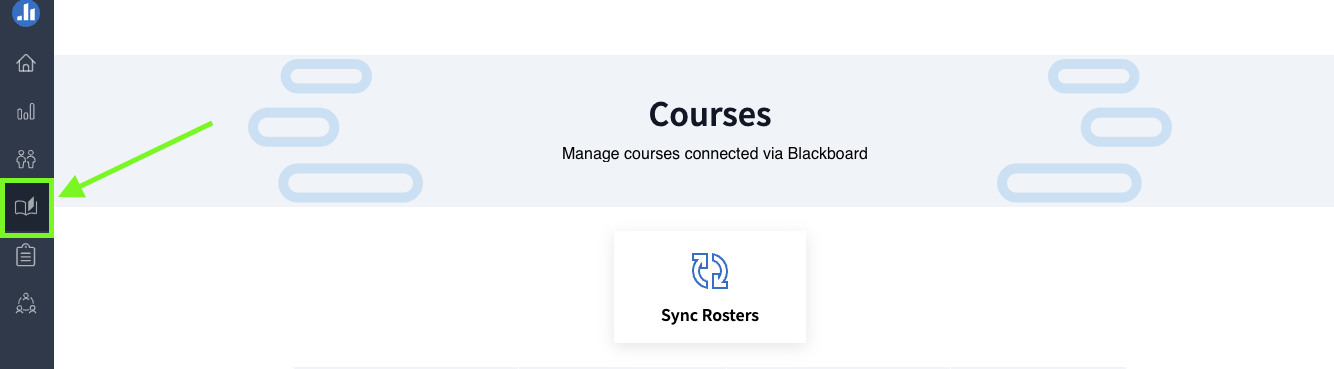
    <div class="html-content"><span><p><span><em><strong>Update</strong><span>: This feature is postponed by the vendor to </span><span>allow UMBC to review and verify functionality</span><span>. Additional information about availability will be provided to the campus as soon as possible.</span></em></span></p><p><span>In late August 2024, Poll Everywhere will launch a new course management feature to simplify how instructors use polling and to improve the process to synchronize grade data back to the Blackboard gradebook.</span></p><p></p><p><span>Using a dedicated icon within the Poll Everywhere interface, this feature allows faculty to create and manage polling activities for their courses. Specific Course Management functions include:</span></p><ul><li><a href="https://support.polleverywhere.com/hc/en-us/articles/27578588765339-Getting-Started-with-Course-Management#h_01J3B98B04QXMNDYCAP2ZN0NAE" rel="nofollow external" class="bo">Accessing Courses</a></li><li><a href="https://support.polleverywhere.com/hc/en-us/articles/27578588765339-Getting-Started-with-Course-Management#h_01J3A52AHTZHAPV0J1VR7VSKZ9" rel="nofollow external" class="bo">Creating Assignments</a></li><li><a href="https://support.polleverywhere.com/hc/en-us/articles/27578588765339-Getting-Started-with-Course-Management#h_01J3R0Q984Z3WB3GJ7NW1807HY" rel="nofollow external" class="bo">Grade Synchronization</a></li><li><a href="https://support.polleverywhere.com/hc/en-us/articles/27578588765339-Getting-Started-with-Course-Management#h_01J3B9J0GW968VWAPFQ9HHE1B4" rel="nofollow external" class="bo">Managing Multiple Assignments and Activities</a></li><li><a href="https://support.polleverywhere.com/hc/en-us/articles/27578588765339-Getting-Started-with-Course-Management#01J3BA4YQPK0Z3D2N7KRZM6BJV" rel="nofollow external" class="bo">Viewing Grades</a></li></ul><p></p><p><span><span><span><span><img src="https://lh7-rt.googleusercontent.com/docsz/AD_4nXeN08woFm60F8F6khJsxpSORZULVT0HVp0sGgl-cjTHjA0EhIGuenuuPCb2eW7xlxzVCwPPf92BJ0NbqUgxjSp9IYYqgWdD8cL_HL-8MWZeE1s5yroCr_PfzZmhL0-Cs2b7OIt3GI4S97Uvf5uiyUGmL2Nb?key=2_Nq-5A1_uFiKi8qIeBozw" width="720" height="199" style="max-width: 100%; height: auto;"></span></span></span></span></p><p><span>Image 1: Example of new Poll Everywhere Course Management page</span></p><p></p><p><span>The feature will be turned off initially and will require each instructor to activate it to turn it on for their accounts. You must set up your Blackboard course with Poll Everywhere before you can use this feature. Once the Blackboard course is synchronized with Poll Everywhere, the Course Management icon will appear.</span></p><h4><span>Poll Everywhere Resources</span></h4><p><span>For Attendance Management resources, please see our FAQ articles:</span></p><ul><li><a href="https://umbc.atlassian.net/wiki/x/KgAsBg" rel="nofollow external" class="bo"></a><a href="https://umbc.atlassian.net/wiki/x/KgAsBg" rel="nofollow external" class="bo"><span>How do I manage Attendance with Poll Everywhere?</span></a><span> (instructors)</span></li><li><span><a href="https://umbc.atlassian.net/wiki/x/CgAzBg" rel="nofollow external" class="bo"><span>How do I check in for Attendance with Poll Everywhere?</span></a><span> (students)</span></span></li></ul><p><span>For additional Poll Everywhere information, please see our Poll Everywhere FAQ collections:</span></p><ul><li><a href="https://umbc.atlassian.net/wiki/x/HwAuBg" rel="nofollow external" class="bo"></a><a href="https://umbc.atlassian.net/wiki/x/HwAuBg" rel="nofollow external" class="bo"><span>Poll Everywhere for Students and Participants</span></a></li><li><span><a href="https://umbc.atlassian.net/l/cp/G1jgf6Qj" rel="nofollow external" class="bo"><span>Poll Everywhere for Instructors and Presenters</span></a></span></li></ul><h4><span>Connect with Instructional Technology</span></h4><p><span>As always, if you have any questions about teaching, learning, and technology at UMBC, please consider the following options:</span></p><ul><li><a href="http://www.umbc.edu/faq" rel="nofollow external" class="bo"><span>Check our extensive FAQ collection</span></a><span> </span></li><li><a href="https://wiki.umbc.edu/x/LohnB" rel="nofollow external" class="bo"><span>What's new in Ultra?</span></a><span> | </span><a href="https://wiki.umbc.edu/x/bwrSAQ" rel="nofollow external" class="bo"><span>Known Issues</span></a><span> </span></li><li><a href="https://umbc.edu/go/bbsupport" rel="nofollow external" class="bo"><span>Open a ticket via RT</span></a></li><li><span>Follow the </span><a href="http://my.umbc.edu/groups/instructional-technology" rel="nofollow external" class="bo"><span>Instructional Technology</span></a><span> &amp; </span><a href="http://my.umbc.edu/groups/doit" rel="nofollow external" class="bo"><span>DoIT</span></a><span> myUMBC groups</span></li><li><a href="https://umbc.edu/go/bbsupport" rel="nofollow external" class="bo"><span>Request a consult</span></a><span> with </span><a href="https://edtech.umbc.edu/about/staff/" rel="nofollow external" class="bo"><span>instructional technology staff</span></a></li><li><a href="http://pivot.umbc.edu/" rel="nofollow external" class="bo"><span>PIVOT</span></a><span> | </span><a href="https://doit.umbc.edu/itnm/academic-continuity/" rel="nofollow external" class="bo"><span>Academic Continuity</span></a><span> | </span><a href="https://fdc.umbc.edu/teaching/keep-on-teaching/" rel="nofollow external" class="bo"><span>Keep On Teaching</span></a><span> | </span><a href="https://doit.umbc.edu/students" rel="nofollow external" class="bo"><span>Student Technology Resources</span></a></li></ul></span><br><em>Thumbnail: </em>Poll Everywhere Logo</div>
]]>
</Body>
<Summary>Update: This feature is postponed by the vendor to allow UMBC to review and verify functionality. Additional information about availability will be provided to the campus as soon as possible.  In...</Summary>
<Website>https://my3.my.umbc.edu/groups/instructional-technology/posts/143083/</Website>
<TrackingUrl>https://beta.my.umbc.edu/api/v0/pixel/news/143083/guest@my.umbc.edu/8d5bfbc8e8ba6cf1e5777ccbc5e8ce44/api/pixel</TrackingUrl>
<Tag>ariev</Tag>
<Tag>course-management</Tag>
<Tag>fa2024</Tag>
<Tag>poll-everywhere</Tag>
<Tag>polling</Tag>
<Group token="instructional-technology">Instructional Technology</Group>
<GroupUrl>https://beta.my.umbc.edu/groups/instructional-technology</GroupUrl>
<AvatarUrl>https://assets2-beta.my.umbc.edu/system/shared/avatars/groups/000/001/164/dec3b026b81ee6d890a8f82f75c94a2e/xsmall.png?1446126703</AvatarUrl>
<AvatarUrl size="original">https://assets1-beta.my.umbc.edu/system/shared/avatars/groups/000/001/164/dec3b026b81ee6d890a8f82f75c94a2e/original.png?1446126703</AvatarUrl>
<AvatarUrl size="xxlarge">https://assets2-beta.my.umbc.edu/system/shared/avatars/groups/000/001/164/dec3b026b81ee6d890a8f82f75c94a2e/xxlarge.png?1446126703</AvatarUrl>
<AvatarUrl size="xlarge">https://assets1-beta.my.umbc.edu/system/shared/avatars/groups/000/001/164/dec3b026b81ee6d890a8f82f75c94a2e/xlarge.png?1446126703</AvatarUrl>
<AvatarUrl size="large">https://assets1-beta.my.umbc.edu/system/shared/avatars/groups/000/001/164/dec3b026b81ee6d890a8f82f75c94a2e/large.png?1446126703</AvatarUrl>
<AvatarUrl size="medium">https://assets4-beta.my.umbc.edu/system/shared/avatars/groups/000/001/164/dec3b026b81ee6d890a8f82f75c94a2e/medium.png?1446126703</AvatarUrl>
<AvatarUrl size="small">https://assets3-beta.my.umbc.edu/system/shared/avatars/groups/000/001/164/dec3b026b81ee6d890a8f82f75c94a2e/small.png?1446126703</AvatarUrl>
<AvatarUrl size="xsmall">https://assets2-beta.my.umbc.edu/system/shared/avatars/groups/000/001/164/dec3b026b81ee6d890a8f82f75c94a2e/xsmall.png?1446126703</AvatarUrl>
<AvatarUrl size="xxsmall">https://assets3-beta.my.umbc.edu/system/shared/avatars/groups/000/001/164/dec3b026b81ee6d890a8f82f75c94a2e/xxsmall.png?1446126703</AvatarUrl>
<Sponsor>Instructional Technology</Sponsor>
<ThumbnailUrl size="xxlarge">https://assets2-beta.my.umbc.edu/system/shared/thumbnails/news/000/143/083/5174b3b426509ae508352856762e2c3a/xxlarge.jpg?1723044857</ThumbnailUrl>
<ThumbnailUrl size="xlarge">https://assets1-beta.my.umbc.edu/system/shared/thumbnails/news/000/143/083/5174b3b426509ae508352856762e2c3a/xlarge.jpg?1723044857</ThumbnailUrl>
<ThumbnailUrl size="large">https://assets3-beta.my.umbc.edu/system/shared/thumbnails/news/000/143/083/5174b3b426509ae508352856762e2c3a/large.jpg?1723044857</ThumbnailUrl>
<ThumbnailUrl size="medium">https://assets1-beta.my.umbc.edu/system/shared/thumbnails/news/000/143/083/5174b3b426509ae508352856762e2c3a/medium.jpg?1723044857</ThumbnailUrl>
<ThumbnailUrl size="small">https://assets1-beta.my.umbc.edu/system/shared/thumbnails/news/000/143/083/5174b3b426509ae508352856762e2c3a/small.jpg?1723044857</ThumbnailUrl>
<ThumbnailUrl size="xsmall">https://assets4-beta.my.umbc.edu/system/shared/thumbnails/news/000/143/083/5174b3b426509ae508352856762e2c3a/xsmall.jpg?1723044857</ThumbnailUrl>
<ThumbnailUrl size="xxsmall">https://assets3-beta.my.umbc.edu/system/shared/thumbnails/news/000/143/083/5174b3b426509ae508352856762e2c3a/xxsmall.jpg?1723044857</ThumbnailUrl>
<PawCount>5</PawCount>
<CommentCount>0</CommentCount>
<CommentsAllowed>false</CommentsAllowed>
<PostedAt>Tue, 13 Aug 2024 12:45:20 -0400</PostedAt>
<EditAt>Tue, 20 Aug 2024 13:25:52 -0400</EditAt>
</NewsItem>

<NewsItem contentIssues="true" id="143028" important="false" status="posted" url="https://beta.my.umbc.edu/groups/doit/posts/143028">
<Title>Reminder: FA2024 Courses Created in Blackboard</Title>
<Tagline>Student Enrollments Processed on July 31, 2024</Tagline>
<Body>
<![CDATA[
    <div class="html-content"><p><span>Blackboard course shells for FA2024 </span><a href="https://wiki.umbc.edu/x/eYHGAw" rel="nofollow external" class="bo"><span>were created</span></a><span> on May 13, 2024 per our previous announcement to support faculty preparation for Ultra in advance of the fall semester. Student enrollments, as well as course shells that were not created in May, were processed on July 31, 2024. </span></p><p><a href="https://my3.my.umbc.edu/groups/instructional-technology/posts/141745" rel="nofollow external" class="bo"><span>Ultra will be the default</span></a><span> in Blackboard </span><span>with </span><a href="https://doit.umbc.edu/news/post/139602/" rel="nofollow external" class="bo"><span>nearly 70 percent of all UMBC courses using Ultra</span></a><span> since spring 2024. </span><span>If COEIT or CNMS faculty wish to “roll back” their Fall 2024 Ultra shells to Original, they can do so</span><a href="https://doit.umbc.edu/request-tracker-rt/doit-myumbc-blackboard/" rel="nofollow external" class="bo"><span>by RT ticket</span></a><span> for this semester only; the </span><strong><a href="https://doit.umbc.edu/news/post/130227/" rel="nofollow external" class="bo"><span>last day we will support Blackboard Original</span></a><span> is December 31, 2024</span></strong><span>. </span><span>DoIT strongly recommends faculty request a roll back before the first day of classes to ensure sufficient time for course preparation. Please </span><a href="https://my3.my.umbc.edu/groups/instructional-technology/posts/141745" rel="nofollow external" class="bo"><span>review the conditions</span></a><span> for requesting a roll back.</span></p><p><span><strong>Training &amp; Support for Ultra</strong></span></p><ul><li><span>Attend an </span><a href="https://my3.my.umbc.edu/groups/instructional-technology/events?mode=upcoming&amp;tag=boot-camp" rel="nofollow external" class="bo"></a><a href="https://my3.my.umbc.edu/groups/instructional-technology/events?mode=upcoming" rel="nofollow external" class="bo"><span>upcoming August training</span></a><span> to prepare for the fall semester.</span></li><li><span>Request a consult </span><span>from our staff </span><a href="https://calendar.app.google/g1NUBauLXnQzavZP8" rel="nofollow external" class="bo"><span>Ultra “office hours” </span></a><span>or download our </span><a href="https://docs.google.com/document/d/1moTh6n0xTLW64IHYoXN8lZ8t1j1rI_L6r_NCiObX6aA/preview?usp=sharing" rel="nofollow external" class="bo"><span>8-step migration guide</span></a><span>.</span></li><li><span>Explore </span><a href="https://umbc.hosted.panopto.com/Panopto/Pages/Sessions/List.aspx#folderID=%2274ac9d58-1779-44c1-92b7-ab6900dfe6e9%22" rel="nofollow external" class="bo"><span>our Panopto folder</span></a><span> for a wide variety of recorded webinars on various instructional technologies available at UMBC.</span></li><li><span>Have a question about Ultra? Ask</span><a href="https://wiki.umbc.edu/x/kAU9BQ" rel="nofollow external" class="bo"><span>an Ultra Ambassador</span></a><span>!</span></li></ul><p><span>Plan your accessibility and Universal Design for Learning strategy before students begin working with course materials. Ally, an </span><a href="https://doit.umbc.edu/news/?id=82487" rel="nofollow external" class="bo"><span>accessibility tool</span></a><span>, is enabled in all course shells. Ally automatically scans uploaded and created course content, then performs a series of steps to make that content more accessible. Please review the </span><a href="https://wiki.umbc.edu/x/2IGdB" rel="nofollow external" class="bo"><span>Ally FAQs</span></a><span> for more information about the</span><a href="https://wiki.umbc.edu/x/_YGdB" rel="nofollow external" class="bo"><span>accessibility indicators</span></a><span> on course content and </span><a href="https://wiki.umbc.edu/x/3IGdB" rel="nofollow external" class="bo"><span>alternative formats</span></a><span>, or attend a training session. Use Ally’s new AI alt-text generator to add alt text to course images. </span></p><p><span><strong>About Course Creation</strong></span></p><p><span>Bb shells for FA2024 are available for all courses (designated as lecture, lab, field or discussion) listed in the </span><a href="http://my.umbc.edu/go/schedule" rel="nofollow external" class="bo"><span>UMBC Schedule of Classes (SOC)</span></a><span>, provided that there is an </span><a href="http://www.umbc.edu/blogs/oit-news/archives/2010/08/how_new_employe_1.html" rel="nofollow external" class="bo"><span>instructor of record</span></a><span> listed. As new course sections and/or instructors are added to the SOC by </span><a href="https://registrar.umbc.edu/services/classroom-scheduling/" rel="nofollow external" class="bo"><span>Department Scheduling Coordinators</span></a><span>, corresponding Bb shells are automatically generated overnight. </span></p><ul><li><span>If you are an instructor, and your name is not associated with the course you are teaching in the </span><a href="http://my.umbc.edu/go/schedule" rel="nofollow external" class="bo"><span>SOC</span></a><span>, please see your </span><a href="https://swsupport.umbc.edu/scheduling-coordinators/" rel="nofollow external" class="bo"><span>Departmental Scheduling Coordinator</span></a><span> to resolve the issue. Once you are listed in the </span><a href="https://my.umbc.edu/go/schedule" rel="nofollow external" class="bo"><span>SOC</span></a><span>, your Bb course shell will be created automatically. </span></li><li><span>If you and your </span><a href="https://swsupport.umbc.edu/scheduling-coordinators/" rel="nofollow external" class="bo"><span>Department Scheduling Coordinator</span></a><span> believe you are correctly assigned as the instructor of record in the SOC and you do not see your course shell in Blackboard, please submit a Request Tracker (RT) ticket via </span><a href="https://my.umbc.edu/help" rel="nofollow external" class="bo"><span>my.umbc.edu/help</span></a><span>.</span></li><li><span>If you need a Bb shell for a research or independent study course, please submit a </span><a href="http://www.umbc.edu/doit/blackboard/requestbbshell.html" rel="nofollow external" class="bo"><span>new course request</span></a><span>.</span></li></ul><p><span>Instructors who teach multiple sections of the same course will find those enrollments merged into one Bb course shell. These sections may be split upon </span><a href="https://my.umbc.edu/go/request-help" rel="nofollow external" class="bo"><span>request by an RT ticket</span></a><span>, which we recommend </span><a href="https://wiki.umbc.edu/x/d4HGAw" rel="nofollow external" class="bo"><span>submitting at least one week</span></a><span> before the semester starts, if not as soon as courses are created in Blackboard. </span><span><strong>NOTE:</strong></span><span> Courses should not be split after student grade data and engagement activity is recorded since it will be purged as part of the separation process.</span></p><p><span>Student enrollment in Bb mirrors the official registration in SA and updates hourly. However, courses are not accessible to students by default until the instructor of record </span><a href="https://wiki.umbc.edu/x/VoAc" rel="nofollow external" class="bo"><span>makes them available</span></a><span>.</span></p><p><strong>Connect with Instructional Technology</strong></p><div><span>As always, if you have any questions about teaching, learning, and technology at UMBC, please consider the following options:</span></div><div><ul><li><a href="http://www.umbc.edu/faq" rel="nofollow external" class="bo">Check our extensive FAQ collection</a><span> </span></li><ul><li><span><a href="https://wiki.umbc.edu/x/LohnB" rel="nofollow external" class="bo"><span>What's new in Ultra?</span></a><span> </span><span>|</span><span> </span><a href="https://wiki.umbc.edu/x/bwrSAQ" rel="nofollow external" class="bo"><span>Known Issues</span></a><span> </span></span></li></ul><li><span><a href="http://my.umbc.edu/go/request-help" rel="nofollow external" class="bo">Open a ticket via RT</a></span></li><li><span>Follow the </span><a href="http://my.umbc.edu/groups/instructional-technology" rel="nofollow external" class="bo">Instructional Technology</a><span> &amp; </span><a href="http://my.umbc.edu/groups/doit" rel="nofollow external" class="bo">DoIT</a><span> myUMBC groups</span></li><li><a href="http://doit.umbc.edu/itnm/staff/" rel="nofollow external" class="bo">Request a consult</a><span> with <a href="http://doit.umbc.edu/itnm/staff" rel="nofollow external" class="bo">instructional technology staff</a></span></li><li><span><a href="http://pivot.umbc.edu" rel="nofollow external" class="bo">PIVOT</a> | <a href="https://doit.umbc.edu/itnm/academic-continuity/" rel="nofollow external" class="bo">Academic Continuity</a></span><span> </span><span>|</span><span> </span><span><a href="https://fdc.umbc.edu/teaching/keep-on-teaching/" rel="nofollow external" class="bo">Keep On Teaching</a></span><span> </span><span>|</span><span> </span><span><a href="https://doit.umbc.edu/students" rel="nofollow external" class="bo">Student Technology Resources</a></span></li></ul></div></div>
]]>
</Body>
<Summary>Blackboard course shells for FA2024 were created on May 13, 2024 per our previous announcement to support faculty preparation for Ultra in advance of the fall semester. Student enrollments, as...</Summary>
<Website>https://my3.my.umbc.edu/groups/instructional-technology/posts/143028</Website>
<TrackingUrl>https://beta.my.umbc.edu/api/v0/pixel/news/143028/guest@my.umbc.edu/7f24ed5c54cfa2d537de6a8dc1b9eee0/api/pixel</TrackingUrl>
<Tag>blackboard</Tag>
<Tag>course-creation</Tag>
<Tag>fa2024</Tag>
<Tag>fall</Tag>
<Tag>ultra-course-preview</Tag>
<Group token="instructional-technology">Instructional Technology</Group>
<GroupUrl>https://beta.my.umbc.edu/groups/instructional-technology</GroupUrl>
<AvatarUrl>https://assets2-beta.my.umbc.edu/system/shared/avatars/groups/000/001/164/dec3b026b81ee6d890a8f82f75c94a2e/xsmall.png?1446126703</AvatarUrl>
<AvatarUrl size="original">https://assets1-beta.my.umbc.edu/system/shared/avatars/groups/000/001/164/dec3b026b81ee6d890a8f82f75c94a2e/original.png?1446126703</AvatarUrl>
<AvatarUrl size="xxlarge">https://assets2-beta.my.umbc.edu/system/shared/avatars/groups/000/001/164/dec3b026b81ee6d890a8f82f75c94a2e/xxlarge.png?1446126703</AvatarUrl>
<AvatarUrl size="xlarge">https://assets1-beta.my.umbc.edu/system/shared/avatars/groups/000/001/164/dec3b026b81ee6d890a8f82f75c94a2e/xlarge.png?1446126703</AvatarUrl>
<AvatarUrl size="large">https://assets1-beta.my.umbc.edu/system/shared/avatars/groups/000/001/164/dec3b026b81ee6d890a8f82f75c94a2e/large.png?1446126703</AvatarUrl>
<AvatarUrl size="medium">https://assets4-beta.my.umbc.edu/system/shared/avatars/groups/000/001/164/dec3b026b81ee6d890a8f82f75c94a2e/medium.png?1446126703</AvatarUrl>
<AvatarUrl size="small">https://assets3-beta.my.umbc.edu/system/shared/avatars/groups/000/001/164/dec3b026b81ee6d890a8f82f75c94a2e/small.png?1446126703</AvatarUrl>
<AvatarUrl size="xsmall">https://assets2-beta.my.umbc.edu/system/shared/avatars/groups/000/001/164/dec3b026b81ee6d890a8f82f75c94a2e/xsmall.png?1446126703</AvatarUrl>
<AvatarUrl size="xxsmall">https://assets3-beta.my.umbc.edu/system/shared/avatars/groups/000/001/164/dec3b026b81ee6d890a8f82f75c94a2e/xxsmall.png?1446126703</AvatarUrl>
<Sponsor>Instructional Technology</Sponsor>
<ThumbnailUrl size="xxlarge">https://assets1-beta.my.umbc.edu/system/shared/thumbnails/news/000/143/028/6ad6a3deb5397e12b1b77ce8948565d5/xxlarge.jpg?1722613875</ThumbnailUrl>
<ThumbnailUrl size="xlarge">https://assets3-beta.my.umbc.edu/system/shared/thumbnails/news/000/143/028/6ad6a3deb5397e12b1b77ce8948565d5/xlarge.jpg?1722613875</ThumbnailUrl>
<ThumbnailUrl size="large">https://assets3-beta.my.umbc.edu/system/shared/thumbnails/news/000/143/028/6ad6a3deb5397e12b1b77ce8948565d5/large.jpg?1722613875</ThumbnailUrl>
<ThumbnailUrl size="medium">https://assets4-beta.my.umbc.edu/system/shared/thumbnails/news/000/143/028/6ad6a3deb5397e12b1b77ce8948565d5/medium.jpg?1722613875</ThumbnailUrl>
<ThumbnailUrl size="small">https://assets3-beta.my.umbc.edu/system/shared/thumbnails/news/000/143/028/6ad6a3deb5397e12b1b77ce8948565d5/small.jpg?1722613875</ThumbnailUrl>
<ThumbnailUrl size="xsmall">https://assets3-beta.my.umbc.edu/system/shared/thumbnails/news/000/143/028/6ad6a3deb5397e12b1b77ce8948565d5/xsmall.jpg?1722613875</ThumbnailUrl>
<ThumbnailUrl size="xxsmall">https://assets4-beta.my.umbc.edu/system/shared/thumbnails/news/000/143/028/6ad6a3deb5397e12b1b77ce8948565d5/xxsmall.jpg?1722613875</ThumbnailUrl>
<PawCount>3</PawCount>
<CommentCount>0</CommentCount>
<CommentsAllowed>true</CommentsAllowed>
<PostedAt>Fri, 02 Aug 2024 12:11:56 -0400</PostedAt>
<EditAt>Fri, 02 Aug 2024 12:36:19 -0400</EditAt>
</NewsItem>

<NewsItem contentIssues="true" id="142005" important="false" status="posted" url="https://beta.my.umbc.edu/groups/doit/posts/142005">
<Title>FA2024 Courses Created in Blackboard on May 13, 2024</Title>
<Body>
<![CDATA[
    <div class="html-content"><p>Blackboard course shells for FA2024 <a href="https://wiki.umbc.edu/x/eYHGAw" rel="nofollow external" class="bo">were created</a> on May 13, 2024 per our previous announcement to support faculty preparation for Ultra in advance of the fall semester. <a href="https://my3.my.umbc.edu/groups/instructional-technology/posts/141745" rel="nofollow external" class="bo">Ultra will be the default</a> in Blackboard <span>with </span><a href="https://doit.umbc.edu/news/post/139602/" rel="nofollow external" class="bo">nearly 70 percent of all UMBC courses using Ultra</a><span> since spring 2024.</span></p><p><span>If faculty wish to “roll back” their Fall 2024 Ultra shells to Original, they can do so <a href="https://doit.umbc.edu/request-tracker-rt/doit-myumbc-blackboard/" rel="nofollow external" class="bo">by RT ticket</a> for this semester only; the</span><span><strong> <a href="https://doit.umbc.edu/news/post/130227/" rel="nofollow external" class="bo">last day we will support Blackboard Original</a> is December 31, 2024. </strong></span><span>DoIT strongly recommends faculty request a roll back before the first day of classes to ensure sufficient time for course preparation. Please <a href="https://my3.my.umbc.edu/groups/instructional-technology/posts/141745" rel="nofollow external" class="bo">review the conditions</a> for requesting a roll back. </span></p><p><span><strong>Training &amp; Support for Ultra</strong></span></p><ul><li><span>Attend an <span><a href="https://my3.my.umbc.edu/groups/instructional-technology/events?mode=upcoming&amp;tag=boot-camp" rel="nofollow external" class="bo"><span>Ultra Boot Camp</span></a></span> or 30-minute <span><span><a href="https://my3.my.umbc.edu/groups/instructional-technology/events?mode=upcoming&amp;tag=quick-start" rel="nofollow external" class="bo">Ultra Quick Start</a></span></span></span><span> session. Additional training will be posted throughout the summer and into early fall.</span></li><li><span>Request a consult </span><span>from our staff </span><a href="https://calendar.app.google/g1NUBauLXnQzavZP8" rel="nofollow external" class="bo">Ultra “office hours” </a>or download<span> our </span><span> </span><a href="https://docs.google.com/document/d/1moTh6n0xTLW64IHYoXN8lZ8t1j1rI_L6r_NCiObX6aA/preview?usp=sharing" rel="nofollow external" class="bo">8-step migration guide</a><span>.</span></li><li><span>Explore </span><a href="https://umbc.hosted.panopto.com/Panopto/Pages/Sessions/List.aspx#folderID=%2274ac9d58-1779-44c1-92b7-ab6900dfe6e9%22" rel="nofollow external" class="bo">our Panopto folder</a><span> for a wide variety of recorded webinars on various instructional technologies available at UMBC.</span></li><li><span>Have a question about Ultra? Ask </span><a href="https://wiki.umbc.edu/x/kAU9BQ" rel="nofollow external" class="bo">an Ultra Ambassador</a><span>!</span></li></ul><p><span>Plan your accessibility and Universal Design for Learning strategy before students begin working with course materials. Ally, an </span><a href="https://doit.umbc.edu/news/?id=82487" rel="nofollow external" class="bo"><span>accessibility tool</span></a><span>, is enabled in all course shells. Ally automatically scans uploaded and created course content, then performs a series of steps to make that content more accessible. Please review the </span><a href="https://wiki.umbc.edu/x/2IGdB" rel="nofollow external" class="bo"><span>Ally FAQs</span></a><span> for more information about the </span><a href="https://wiki.umbc.edu/x/_YGdB" rel="nofollow external" class="bo"><span>accessibility indicators</span></a><span> on course content and </span><span><a href="https://wiki.umbc.edu/x/3IGdB" rel="nofollow external" class="bo">alternative formats</a>, or attend a training session.</span></p><div><strong>About Course Creation</strong></div><div><span><br></span></div><div><span>Bb shells for FA2024 </span><span>are available for all courses (designated as lecture, lab, field or discussion) listed in the </span><a href="http://my.umbc.edu/go/schedule" rel="nofollow external" class="bo">UMBC Schedule of Classes (SOC)</a><span>, provided that there is an </span><a href="http://www.umbc.edu/blogs/oit-news/archives/2010/08/how_new_employe_1.html" rel="nofollow external" class="bo">instructor of record</a><span> listed. As new course sections and/or instructors are added to the SOC by </span><a href="https://registrar.umbc.edu/services/classroom-scheduling/" rel="nofollow external" class="bo">Department Scheduling Coordinators</a><span>, corresponding Bb shells are automatically generated overnight. </span></div><ul><li>If you are an instructor, and your name is not associated with the course you are teaching in the <a href="http://my.umbc.edu/go/schedule" rel="nofollow external" class="bo">SOC</a>, please see your <a href="https://swsupport.umbc.edu/scheduling-coordinators/" rel="nofollow external" class="bo">Departmental Scheduling Coordinator</a> to resolve the issue. Once you are listed in the <a href="https://my.umbc.edu/go/schedule" rel="nofollow external" class="bo">SOC</a>, your Bb course shell will be created automatically. </li><li>If you and your <a href="https://swsupport.umbc.edu/scheduling-coordinators/" rel="nofollow external" class="bo">Department Scheduling Coordinator</a> believe you are correctly assigned as the instructor of record in the SOC and you do not see your course shell in Blackboard, please submit a Request Tracker (RT) ticket via <a href="https://my.umbc.edu/help" rel="nofollow external" class="bo">my.umbc.edu/help</a>.</li><li>If you need a Bb shell for a research or independent study course, please submit a <a href="http://www.umbc.edu/doit/blackboard/requestbbshell.html" rel="nofollow external" class="bo">new course request</a>.</li></ul><p>Instructors who teach multiple sections of the same course will find those enrollments merged into one Bb course shell. These sections may be split upon <a href="https://my.umbc.edu/go/request-help" rel="nofollow external" class="bo">request by an RT ticket</a>, which we recommend <a href="https://wiki.umbc.edu/x/d4HGAw" rel="nofollow external" class="bo">submitting at least one week</a> before the semester starts, if not as soon as courses are created in Blackboard. <strong>NOTE:</strong> Courses should not be split after student grade data and engagement activity is recorded since it will be purged as part of the separation process.</p><p>Student enrollment in Bb mirrors the official registration in SA and updates hourly. However, courses are not accessible to students by default until the instructor of record <a href="https://wiki.umbc.edu/x/VoAc" rel="nofollow external" class="bo">makes them available</a>.</p><p><strong>Connect with Instructional Technology</strong></p><div><span>As always, if you have any questions about teaching, learning, and technology at UMBC, please consider the following options:</span></div><div><ul><li><a href="http://www.umbc.edu/faq" rel="nofollow external" class="bo">Check our extensive FAQ collection</a><span> </span></li><ul><li><span><a href="https://wiki.umbc.edu/x/LohnB" rel="nofollow external" class="bo"><span>What's new in Ultra?</span></a><span> </span><span>|</span><span> </span><a href="https://wiki.umbc.edu/x/bwrSAQ" rel="nofollow external" class="bo"><span>Known Issues</span></a><span> </span></span></li></ul><li><span><a href="http://my.umbc.edu/go/request-help" rel="nofollow external" class="bo">Open a ticket via RT</a></span></li><li><span>Follow the </span><a href="http://my.umbc.edu/groups/instructional-technology" rel="nofollow external" class="bo">Instructional Technology</a><span> &amp; </span><a href="http://my.umbc.edu/groups/doit" rel="nofollow external" class="bo">DoIT</a><span> myUMBC groups</span></li><li><a href="http://doit.umbc.edu/itnm/staff/" rel="nofollow external" class="bo">Request a consult</a><span> with <a href="http://doit.umbc.edu/itnm/staff" rel="nofollow external" class="bo">instructional technology staff</a></span></li><li><span><a href="http://pivot.umbc.edu" rel="nofollow external" class="bo">PIVOT</a> | <a href="https://doit.umbc.edu/itnm/academic-continuity/" rel="nofollow external" class="bo">Academic Continuity</a></span><span> </span><span>|</span><span> </span><span><a href="https://fdc.umbc.edu/teaching/keep-on-teaching/" rel="nofollow external" class="bo">Keep On Teaching</a></span><span> </span><span>|</span><span> </span><span><a href="https://doit.umbc.edu/students" rel="nofollow external" class="bo">Student Technology Resources</a></span></li></ul></div></div>
]]>
</Body>
<Summary>Blackboard course shells for FA2024 were created on May 13, 2024 per our previous announcement to support faculty preparation for Ultra in advance of the fall semester. Ultra will be the...</Summary>
<Website>https://my3.my.umbc.edu/groups/instructional-technology/posts/142005</Website>
<TrackingUrl>https://beta.my.umbc.edu/api/v0/pixel/news/142005/guest@my.umbc.edu/b43cda3dffda257b90352b8d24d3d46f/api/pixel</TrackingUrl>
<Tag>blackboard</Tag>
<Tag>course-creation</Tag>
<Tag>fa2024</Tag>
<Tag>fall</Tag>
<Tag>ultra-course-preview</Tag>
<Group token="instructional-technology">Instructional Technology</Group>
<GroupUrl>https://beta.my.umbc.edu/groups/instructional-technology</GroupUrl>
<AvatarUrl>https://assets2-beta.my.umbc.edu/system/shared/avatars/groups/000/001/164/dec3b026b81ee6d890a8f82f75c94a2e/xsmall.png?1446126703</AvatarUrl>
<AvatarUrl size="original">https://assets1-beta.my.umbc.edu/system/shared/avatars/groups/000/001/164/dec3b026b81ee6d890a8f82f75c94a2e/original.png?1446126703</AvatarUrl>
<AvatarUrl size="xxlarge">https://assets2-beta.my.umbc.edu/system/shared/avatars/groups/000/001/164/dec3b026b81ee6d890a8f82f75c94a2e/xxlarge.png?1446126703</AvatarUrl>
<AvatarUrl size="xlarge">https://assets1-beta.my.umbc.edu/system/shared/avatars/groups/000/001/164/dec3b026b81ee6d890a8f82f75c94a2e/xlarge.png?1446126703</AvatarUrl>
<AvatarUrl size="large">https://assets1-beta.my.umbc.edu/system/shared/avatars/groups/000/001/164/dec3b026b81ee6d890a8f82f75c94a2e/large.png?1446126703</AvatarUrl>
<AvatarUrl size="medium">https://assets4-beta.my.umbc.edu/system/shared/avatars/groups/000/001/164/dec3b026b81ee6d890a8f82f75c94a2e/medium.png?1446126703</AvatarUrl>
<AvatarUrl size="small">https://assets3-beta.my.umbc.edu/system/shared/avatars/groups/000/001/164/dec3b026b81ee6d890a8f82f75c94a2e/small.png?1446126703</AvatarUrl>
<AvatarUrl size="xsmall">https://assets2-beta.my.umbc.edu/system/shared/avatars/groups/000/001/164/dec3b026b81ee6d890a8f82f75c94a2e/xsmall.png?1446126703</AvatarUrl>
<AvatarUrl size="xxsmall">https://assets3-beta.my.umbc.edu/system/shared/avatars/groups/000/001/164/dec3b026b81ee6d890a8f82f75c94a2e/xxsmall.png?1446126703</AvatarUrl>
<Sponsor>Instructional Technology</Sponsor>
<ThumbnailUrl size="xxlarge">https://assets4-beta.my.umbc.edu/system/shared/thumbnails/news/000/142/005/6db7afd41ea3c904988953bbaecd1a22/xxlarge.jpg?1715792577</ThumbnailUrl>
<ThumbnailUrl size="xlarge">https://assets3-beta.my.umbc.edu/system/shared/thumbnails/news/000/142/005/6db7afd41ea3c904988953bbaecd1a22/xlarge.jpg?1715792577</ThumbnailUrl>
<ThumbnailUrl size="large">https://assets2-beta.my.umbc.edu/system/shared/thumbnails/news/000/142/005/6db7afd41ea3c904988953bbaecd1a22/large.jpg?1715792577</ThumbnailUrl>
<ThumbnailUrl size="medium">https://assets2-beta.my.umbc.edu/system/shared/thumbnails/news/000/142/005/6db7afd41ea3c904988953bbaecd1a22/medium.jpg?1715792577</ThumbnailUrl>
<ThumbnailUrl size="small">https://assets4-beta.my.umbc.edu/system/shared/thumbnails/news/000/142/005/6db7afd41ea3c904988953bbaecd1a22/small.jpg?1715792577</ThumbnailUrl>
<ThumbnailUrl size="xsmall">https://assets3-beta.my.umbc.edu/system/shared/thumbnails/news/000/142/005/6db7afd41ea3c904988953bbaecd1a22/xsmall.jpg?1715792577</ThumbnailUrl>
<ThumbnailUrl size="xxsmall">https://assets1-beta.my.umbc.edu/system/shared/thumbnails/news/000/142/005/6db7afd41ea3c904988953bbaecd1a22/xxsmall.jpg?1715792577</ThumbnailUrl>
<PawCount>3</PawCount>
<CommentCount>0</CommentCount>
<CommentsAllowed>true</CommentsAllowed>
<PostedAt>Wed, 15 May 2024 13:20:43 -0400</PostedAt>
</NewsItem>

</News>